Where Every Great Story Begins
The world is constantly evolving, opening up fresh opportunities for growth and transformation. By sharing our unique experiences, we create connections that resonate with others, weaving the fabric of traditions, legends, and stories that endure for generations. What will your storytelling journey look like, and how will your voice shape the narrative of tomorrow?

Storyboard Pro
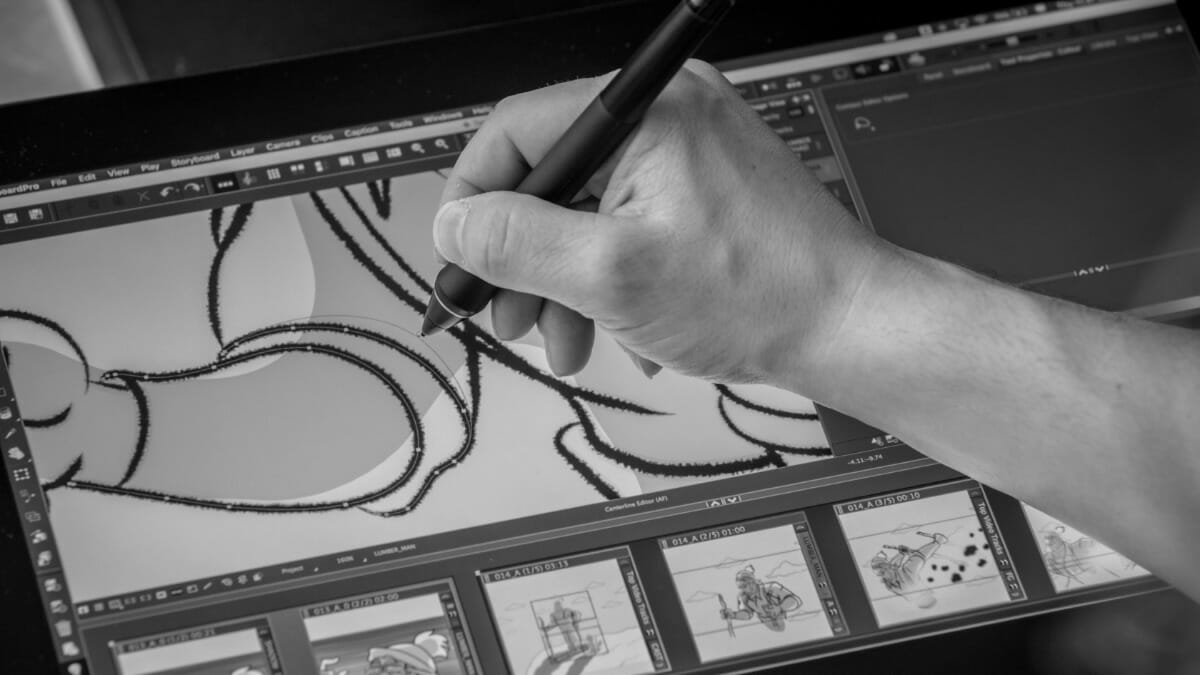
Used by storytellers, directors, and creatives globally, Storyboard Pro empowers you to get your ideas down, structure the sequence and elaborate the story so it can be shared, pitched and promoted on your terms. This all-in-one storyboard software combines drawing, scripting, camera controls, animatic creation capabilities and sound. Seamlessly integrating with Harmony, Storyboard Pro is the way to get your content pitched and green lit quickly and easily.
Free Training Offer
Unlock your future in animation and give yourself a competitive edge with this exclusive offer. When you purchase a Harmony Premium or Storyboard Pro license from us, you’ll receive an unbeatable bonus training package valued at over $2,000—absolutely FREE.

Standard Features
Whether you started your project with a script or you chose to write the script as you draw your boards, Storyboard Pro has your back! Import your full script from any source and always stay in line with the most important part of any production: the Story. Add captions to your panels by simply dragging and dropping sections from your script.
Used Final Draft to create your script and manage your scenes, shots or panels? Storyboard Pro can automatically generate a storyboard from a .fdx import with scene breakdowns, naming and captions.
Toon Boom’s legendary drawing engine, capable of seamless work in vector and bitmap simultaneously, Storyboard Pro will allow you to push the bound- aries of creativity. Sketching or drafting has never been so responsive with the Brush tool which has been developed to feel as close to a real brush as possible. Set up advanced brush attributes, add textures to your vector lines and see them update while drawing, modify your lines as you see fit or convert bitmap lines to vector (also works the other way around!) with or without textures… the world is your oyster!
If accuracy is your thing then make use of Storyboard Pro’s rich library of rulers, guides and grids. Work in Isometric view for Gaming production or create a fisheye view of your shot, set up proportion grids for perfect compositions or, if you need to view your work from a new angle, simply mirror your workspace.
Create complex images with multiple layers while making use of texture shading, transparency and overlays. With Storyboard Pro you will be able to work efficiently and take your boards to new heights.
Toon Boom’s legendary drawing engine, capable of seamless work in vector and bitmap simultaneously, Storyboard Pro will allow you to push the bound- aries of creativity. Sketching or drafting has never been so responsive with the Brush tool which has been developed to feel as close to a real brush as possible. Set up advanced brush attributes, add textures to your vector lines and see them update while drawing, modify your lines as you see fit or convert bitmap lines to vector (also works the other way around!) with or without textures… the world is your oyster!
If accuracy is your thing then make use of Storyboard Pro’s rich library of rulers, guides and grids. Work in Isometric view for Gaming production or create a fisheye view of your shot, set up proportion grids for perfect compositions or, if you need to view your work from a new angle, simply mirror your workspace.
Create complex images with multiple layers while making use of texture shading, transparency and overlays. With Storyboard Pro you will be able to work efficiently and take your boards to new heights.
As you are creating your boards, Storyboard Pro is automatically laying your panels in sequence on a timeline. This is the basis for your animatic, a video version of your storyboard. From there, adjust the timing of your scenes, add transitions, time your camera animation and even animate each layer of a panel to create easier, more compelling movements for your story.
The Storyboard Pro timeline will be familiar to the most demanding video editors, allowing you to edit multiple video and audio tracks, adjust durations with the “ripple subsequent panels” on or off, reposition your in/out points dynamically or cut/insert portions of your edit.
Export your animatic in multiple formats, in parts or as a single rendered video. Storyboard Pro will now allow you to export to Apple® ProResTM boosting full compatibility with the most demanding industry requirements.
Apple® ProResTM codecs provide an unparalleled combination of multistream, real-time editing performance, impressive image quality, and reduced storage rates. All Apple® ProResTM codecs support all frame sizes (including SD, HD, 2K,
4K, and 5K) at full resolution.as guide your drawings with rulers and perspective guides.
No animatic would be complete without the addition of sound. Add as many soundtracks
as you want to from the most commonly used formats. Record your own temp track if needed directly from Storyboard Pro’s timeline. Link any audio clip to your storyboard panels so that you never lose sync or lock background sounds grounding them throughout the editing process.
Do your mixing directly in Storyboard Pro by adjusting audio levels for multiple or individual clips, dynamically adding keyframes all the while monitoring Audio Levels to avoid clipping. To give your sounds more personality, open up the Effect Stack view and add a variety of effects. If this is still not enough, Storyboard Pro lets you export your entire sequence as a merged or individual track in a variety of formats and quality.
We know how creatively demanding projects can be, that’s why Storyboard Pro is built from the ground up in a fully 3D environment allowing you, not only to manipulate 2D planes on multiple axes, but also import 3D assets, incorporate them to your panels and animate them as you would any other layer. Bring in FBX, OBJ or Alembic files, access sub-nodes, add keyframes to any individual 3D asset and animate the 3D camera. With Storyboard Pro, watch your animatic come to life, whether your project is a 3D, 2D, live action, gaming or hybrid production.

NEW Features
Three symmetry drawing guides have been added to Storyboard 24. Vertical Symmetry, Horizontal Symmetry and Dual Axis. When active, the symmetry guides mirror the strokes drawn by the artist by duplicating it on the other side of the guide. For example, using the Vertical Symmetry guide allows artists to quickly draw characters without having to draw both sides.
The Pencil tool has been improved to support opacity variations on lines as they are drawn. Artists can control the amount of transparency on lines by applying more or less pressure on their stylus, giving them more control over the artistic look of their drawings. The resulting pencil lines have a more natural look, while still retaining the ability to be easily reshaped using the contour editor.
New properties have been added to the Brush tool to randomize the position of the brush tip when generating textured strokes. These properties will help improve the natural look of textured brushes and will open new artistic possibilities. Brushes that mimic soft brushes, sponges and air brushes will now be easier to create, as well as replicating brushes in from other drawing softwares.
The technology used to load and display 3D models was completely overhauled to provide faster loading, display and manipulation of 3D models within Storyboard Pro. Large models that used to make Storyboard Pro crawl, can now be visualized and manipulated without any performance issues.
The editing and creation of layouts for PDF export is now simpler and easier. The size and positions of panels on the page can easily be modified. A live preview is displayed as changes are made to immediately see the result immediately without having to export and open the generated PDF.
Pricing for Everyone.
Seeing is believing. Toon Boom offers creatives the opportunity to test drive Storyboard Pro for 21 days free of charge. You can experience first hand how Storyboard Pro can help pull together your next 2D or 3D animation project, your next live action series or your next video game.
System Requirements
An Internet connection is required to activate the software. Storyboard Pro 20 also supports Blackmagic Design playback devices when using cached playback. For a full list of improvements and new features, please see our detailed Storyboard Pro 20 release notes. System requirements can be updated or changed without notice.

Windows 11
- Windows 10 (64-bit)
 macOS
macOS- macOS 14.5 (Sonoma)
- macOS 13.6.7 (Ventura)
- macOS 12.7.3 (Monterey)
| Hardware | Recommended | Minimum |
|---|---|---|
| Processor (Windows) | 2.0 GHz Intel Core i3 processor or higher | |
| Processor (macOS) | ARM-Based Apple silicon processor or 2.0 GHz Intel Core i3 processor or higher | |
| Hard Disk Space (Windows) | 740 MB | |
| Hard Disk Space (macOS) | 1.40 GB | |
| Hard Drive | SSD recommended for working in HD, High-End SSD recommended for working in 4k. | |
| Monitor | 1920 x 1080 | 1280 x 800 |
| Memory | 16 GB | 8 GB |
| Video Card (Windows) | NVIDIA® fully supporting OpenGL with 512 MB RAM Vulkan 1.1 support required for optimized 3D model display. | |
| Video Card (macOS) | Video card fully supporting OpenGL with 512 MB RAM Vulkan 1.1 support required for optimized 3D model display. | |
| Drawing Tablet Support | Wacom Intuos Pro or Wacom Cintiq | Wacom Bamboo or Wacom Intuos |